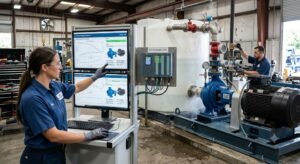
A useful pump selection software demonstration starts with a specific application and a clear question: what does your team need to evaluate and document? A representative selection gives engineers, sales staff and product teams a common example to review.
This checklist helps you prepare that discussion. It describes information to bring and decisions to agree. The available models, calculations and outputs depend on the product data and configured software scope.
1. Describe the application and operating duty
Identify the pump application and the liquid being handled. Record the required flow and head with their units, together with relevant operating conditions, liquid properties and material requirements. Include the source of those inputs so the reviewer can distinguish a confirmed requirement from an assumption.
If your team evaluates several operating conditions, list those cases separately. Ask which conditions should be covered in the demonstration and which require further technical review.
2. Bring the manufacturer product data
Prepare the pump models and performance information you want to evaluate. Manufacturer curves and configuration records are more useful than a product name alone. Identify the speed, impeller, stage and motor information available for the range, where applicable.
For specialized applications, use the relevant product brief: submersible pumps, positive displacement pumps or vertical turbine pumps. The selection method and data needed should be agreed for the actual pump design.
3. Define the output your team needs
List the technical documents used in your current process. These might include performance curves, datasheets, drawings, bills of materials or quotations. Bring a blank or anonymized example and identify the fields that must be checked before release.
Ask which outputs are included, which depend on product data preparation and which require configuration. This keeps the demonstration focused on an actual handover rather than a screen tour.
4. Follow one example from input to review
Use the agreed application to review duty entry, available pump options, performance information and the required configuration details. Record the assumptions used and the questions that remain open. Ask the reviewer to explain how the supplied manufacturer data relates to the displayed result.
Then review the technical output with the people who would use it. A selection may be useful to an engineer while still missing a reference or commercial field required by the sales team.
5. Agree responsibilities and the next step
Identify who will prepare and approve the product database, who can change it and who checks generated documents. Discuss existing systems only after the required records and exchange direction are clear. Import work, integration, training and support should be confirmed in the project scope.
Keep a short acceptance list: the example to be demonstrated, the supplied data, the output to review and the person responsible for each decision. Do not treat a software demonstration as independent approval of equipment suitability or project compliance.
Discuss your selection workflow
Explore Velotech Pump Selection Software for the overall workflow, or send your pump category and requirements to discuss a relevant demonstration.